 首页
首页  网站论坛圈子
 每日快讯New
 游戏下载
游戏下载



本游戏玩法总结
如果你在找免费单机游戏或同类作品,《疯狂伐木工VS Timberman VS免安装绿色版》可结合页面介绍、配置与版本信息进一步判断。
《疯狂伐木工VS Timberman VS免安装绿色版》这类作品通常更强调动作反馈和探索推进,常见玩法会把战斗处理、路线推进与场景互动放在同一条节奏线上。对于偏好即时操作、地图探索和流程驱动型单机的玩家来说,这类题材往往更看重过程体验。 另外,本作也带有休闲益智方向,整体会更强调轻松节奏、低门槛和持续解锁。
关于此游戏

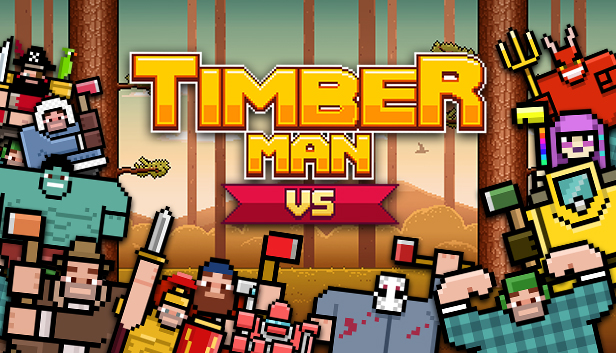
The game loved by millions of players all around the world – Timberman, now has a brand new, polished axe! Timberman VS – available on PC and consoles, featuring a cross-platform play! Gather your friends and prove that you are a world-class wood chopper!
Enter the digital forest and discover new version of this classic, casual game – slice and dice trees in an arcade-style, challenge your friends and be the fastest timberman alive!
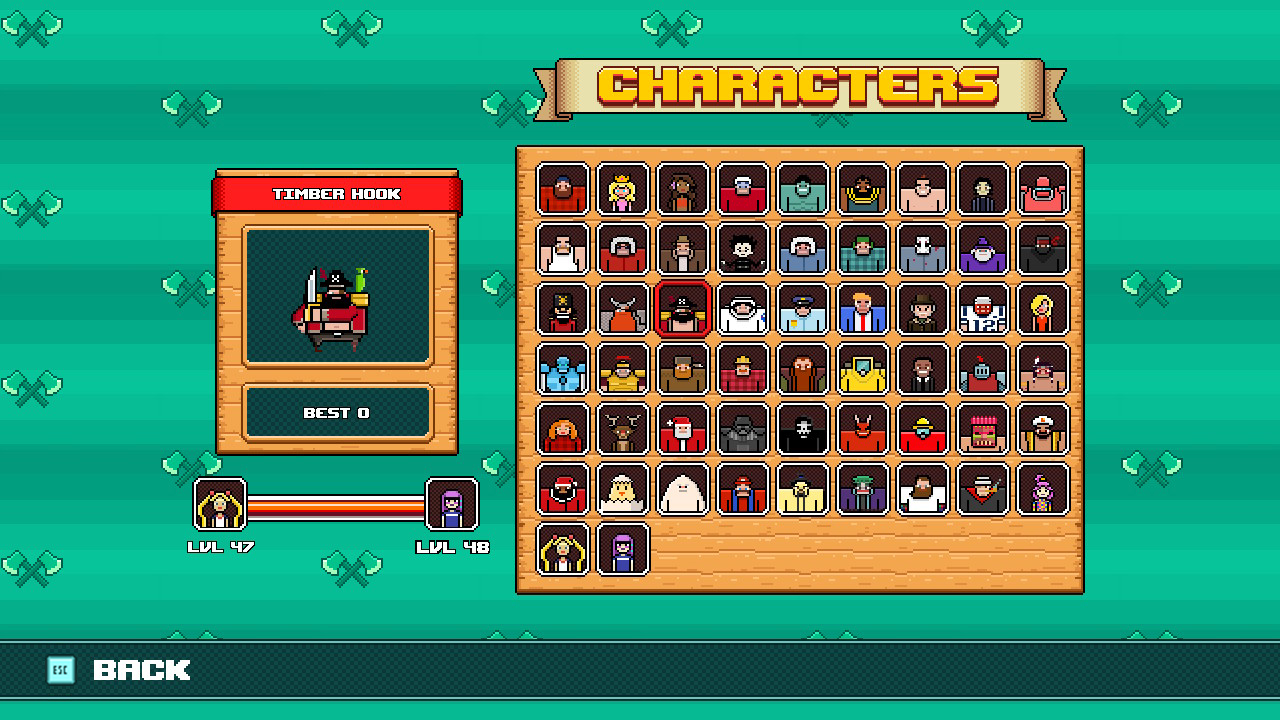
Timberman now features a single player challenge, to test your skills and unlock as much as 56 characters, and local games to have fun with your friends!
Grab your trustworthy axe, become a true Timberman, and chop trees in 3, unique game modes:
- Classic Timberman: train your axe skills, gain exp to develop your account, and beat your personal high score – in a classic, single-player, infinite tree mode. Chop as fast as you can and avoid branches! Prove you’re the REAL THING!
- Hero mode: be the hero and rescue birds from their nest in a burning woods – gain eternal glory and sweet loot! Can you reach the top of a tree and find a golden egg?
- Race: join the race and be the fastest Timberman in a fun, tree-chopping competition! Play with up to 4 players and test your chopping skills against others in a crazy, fast-paced match! First on the finishing line WINS IT ALL!
Join millions of players playing Timberman VS – featuring cross-platform matches, brand new exciting game modes, plenty of crazy characters to unlock, and more fun than ever!
游戏介绍
受到全世界数百万玩家喜爱的游戏–《疯狂伐木工》,现在有了一把全新的、抛光的斧头!这就是《疯狂伐木工VS》。木头人VS–可在PC和游戏机上使用,具有跨平台游戏的特点! 召集你的朋友,证明你是一个世界级的砍柴人!
游戏视频
游戏截图




游戏版本信息
Build.811055|容量155MB|官方原版英文|支持键盘.鼠标.手柄
资源安装前先看
下载《疯狂伐木工VS Timberman VS免安装绿色版》这类资源后,建议先检查压缩包是否齐全,再使用常见解压工具统一释放到本地目录。尽量不要直接在压缩包内部打开游戏程序,解压位置也建议放在磁盘空间充足、路径较短且使用英文命名的文件夹中,这样通常能减少权限、路径长度或文件缺失带来的启动问题、切记检查解压过程中是否有杀毒软件拦截、如果你对解压流程不熟悉,可以先参考 游戏手动解压安装教程。
启动异常排查
如果《疯狂伐木工VS Timberman VS免安装绿色版》解压后打不开,通常可以先排查安全软件拦截、运行库缺失、驱动版本过旧、系统环境不匹配,或者是否直接从压缩包中启动了程序。部分单机作品首次运行时,也可以尝试右键用管理员权限启动主程序。如果页面提示缺少组件、dll 报错或环境异常,也可以先参考 游戏常用运行库合集 补全常见运行环境。
补充说明
进入游戏后如果遇到黑屏、闪退、报错、无响应、缺少 dll、手柄识别异常、无声音或存档问题,多数情况仍然和系统环境、运行组件、驱动版本、解压完整度或目录权限有关。围绕《疯狂伐木工VS Timberman VS免安装绿色版》,用户通常也会继续查找中文版、免安装版、配置信息、中文设置、解压方法和闪退处理等内容。
如果你还需要配合修改器使用,也可以看看 WeMod 超8000+单机游戏最新修改器 的相关说明。
出现黑屏、闪退、组件缺失或主程序无响应时,先排查运行环境和安全软件拦截,往往比反复重下更有效。